

SpO2 Probe Compatibility: 5 Checks Before You Buy
November 24, 2026 2026-11-25 7:11SpO2 Probe Compatibility: 5 Checks Before You Buy
SpO2 Probe Compatibility: 5 Checks Before You Buy
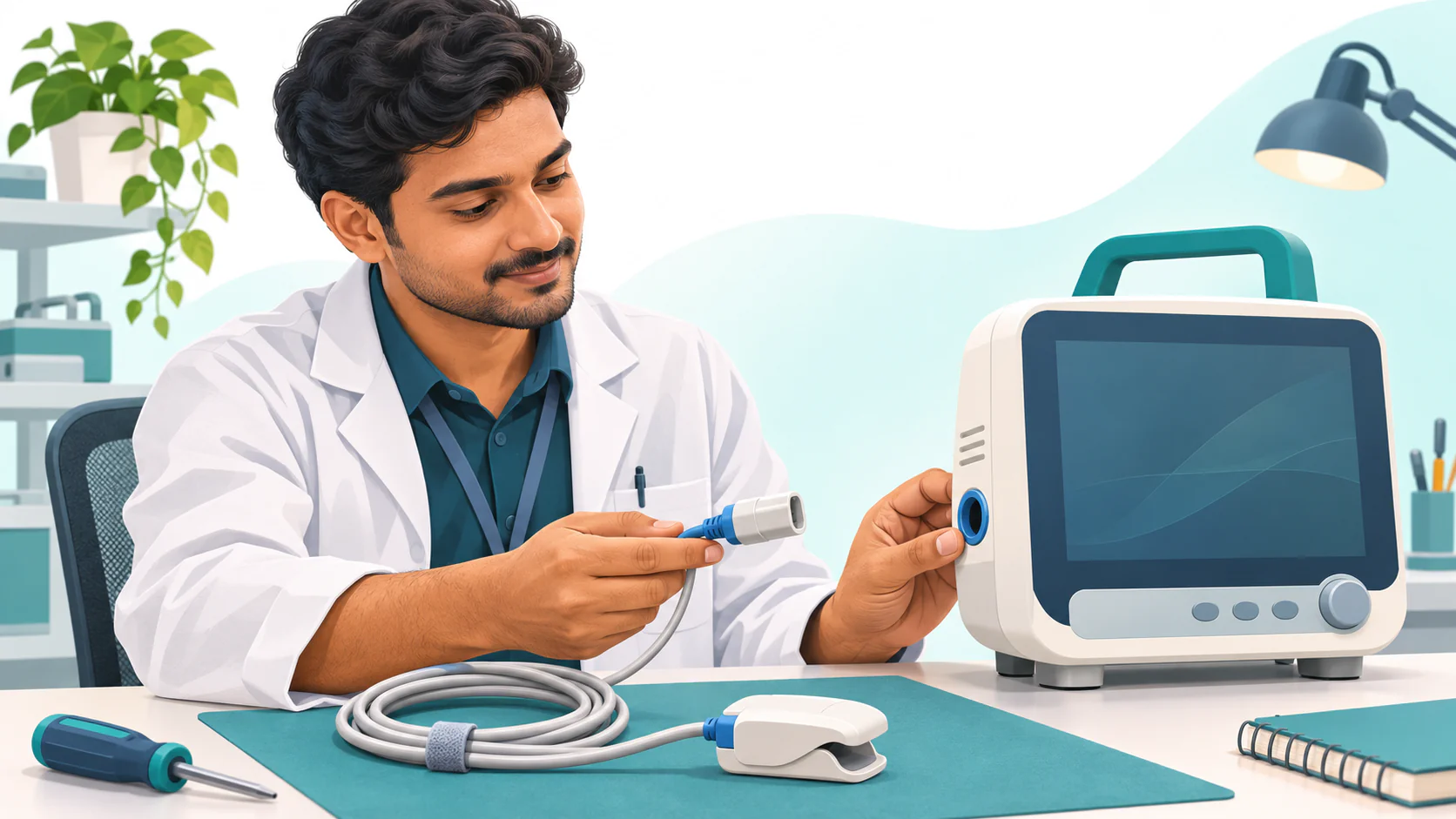
A replacement probe can look almost identical to your old one and still be the wrong match. Checking SpO2 probe compatibility starts with your monitor model, its sensor system and the connection you need.
Whether you manage a clinic, maintain hospital equipment or arrange monitoring equipment for home care, a few clear checks make ordering simpler. Here is how to find the right accessory—and what to send us when you need help.
THE QUICK START
Find your accessory. Get the connection right.
Know your equipment model? Browse our cables, probes and sensors. Use the accessory and equipment filters, then check the individual product for its connector, patient options and package contents.
SpO2 probe compatibility: 5 checks before you buy
1. Start with the exact equipment model
Read the model label on the monitor rather than relying on the brand alone. Note the full model name and any part number printed on the existing probe or cable. A clear photo of the label is often more useful than a photo of the screen.
The SpO2 technology matters too. The same equipment brand may offer different monitoring systems. Masimo, for example, publishes separate sensor-and-cable compatibility combinations for RD SET and LNCS families. Match the required system as well as the equipment name. See Masimo’s compatibility reference.
2. Compare the connector from the front
Look at the plug shape, contacts, locating notches and the matching port. Take the photo straight on so the details are visible. A side view of a cable can hide the features that distinguish one connection from another.
- Compare the complete connector, not only its colour.
- Check pins and locating features against the product close-up.
- Confirm the equipment’s sensor technology; a physical fit alone does not establish compatibility.
A useful example: our Contec reusable SpO2 probe listing offers separate “New” and “Old” connection options. The gallery shows examples of both. Choose by the installed connection, not by the apparent age of the monitor.
3. Check whether you need a sensor, a cable—or both
The sensor is applied to the patient. An adapter or interface cable connects a suitable sensor to a monitor when that setup requires one. Some sensors connect directly, while others use an intermediate cable.
Monitor
Match its exact model and SpO2 system.
Interface cable, if required
Match both the monitor input and sensor connection.
Patient sensor
Choose the appropriate clip, wrap or sensor style.
For example, the original Nellcor DOC-4 cable is an interface cable. It does not include the patient sensor. The Nellcor-compatible short sensor is a separate type of accessory; your equipment and sensor system determine the correct combination.
4. Match the patient type and application
Adult clips, paediatric clips and neonatal wraps are different choices. Use the patient group, weight range and application site specified for the exact sensor. A matching plug does not make every patient attachment suitable.
Also distinguish similar-looking references. Philips identifies M1193A as a neonatal hand/foot sensor and M1196A as an adult clip reference. On a compatible-product listing, check the selected patient option and the instructions supplied with that accessory. Philips’ sensor reference explains the original models.
5. Confirm what the pack contains
Before adding an accessory to your cart, check three things: original or compatible, reusable or single-patient use, and pack quantity. A single replacement sensor and a box of sensors are different purchases.
Our Masimo RD SET Neo 4003 listing is a box of 20 sensors. By comparison, the replacement probe and cable examples below are supplied as one selected probe or cable. Each product page explains its own package contents.
Explore replacement probes and cables
These examples show why the equipment reference, connector and part type should be checked together. Open the product page to see its available options and current price.
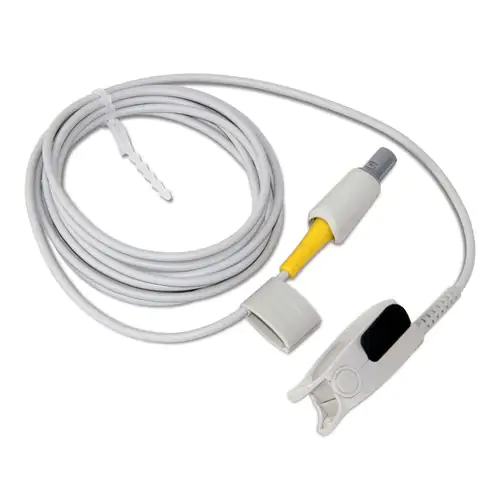
Contec reusable SpO2 probes
Compare the New and Old connection examples, then choose the patient option required for your setup.
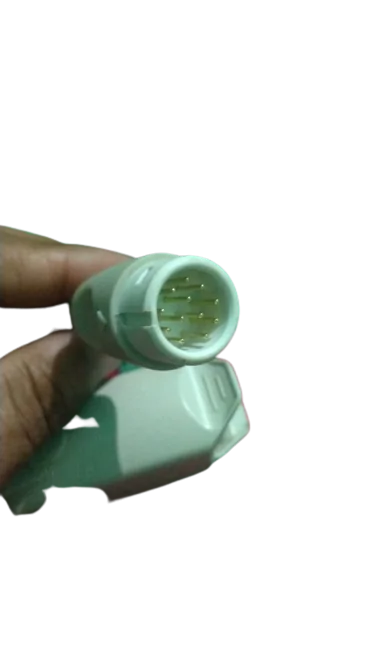
BPL EV6 / EV8 replacement probe
For the matching EV6 / EV8 connection. Check the pictured 12-pin round connector before choosing this compatible replacement.
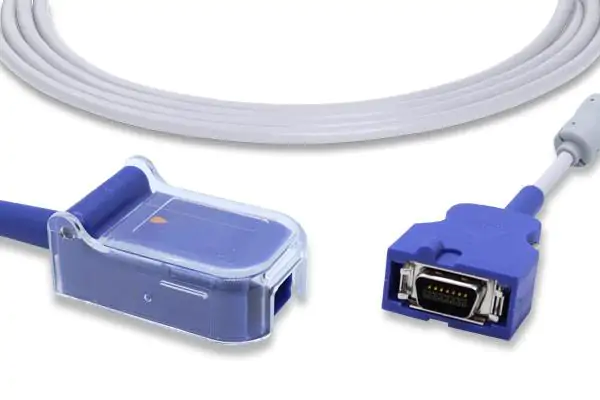
Original Nellcor DOC-4 cable
An original Nellcor interface cable. Choose it when your equipment requires the DOC-4 reference; the patient sensor is separate.

Masimo RD SET Neo 4003
Original adhesive sensors in a box of 20. Match reference 4003 and the required RD SET monitoring setup.
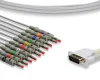
Need an ECG cable, cuff or another monitor accessory?
The same approach applies beyond SpO2: identify the equipment, the part you need and its connection. Our category brings these accessories together so you can start with the right product type.
| Accessory | What to check |
|---|---|
| ECG cables & leadwires | Equipment model, lead configuration and patient-end connection. |
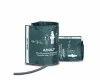
| NIBP cuffs & hoses | Cuff size, hose arrangement and connector. |
| Temperature & IBP accessories | Exact monitor or module and the specified probe, cable or transducer reference. |
| Fetal / CTG probes | Monitor model and probe type—such as fetal heart rate or TOCO. |
| EEG / BIS accessories | Equipment reference, accessory type and pack quantity. |
Open Cables, Probes & Sensors, choose Accessory type and Equipment / system, then use More filters for the listed patient type, connector, sensor use and availability. The equipment filter refers to the supported equipment or system; it is not necessarily the accessory manufacturer.
Your quick order checklist
- Exact equipment brand and model noted.
- Existing part reference checked, if available.
- Connector front and locating features compared.
- Patient type and application confirmed.
- Sensor or cable—and pack quantity—checked.
Not sure which accessory to order? Send us three photos.
You do not need to know every technical term. Send our support team:
- The equipment label: with the brand and full model visible.
- The connection: a clear front view of the old plug and the monitor port.
- The existing accessory: the complete probe or cable, including its printed reference if present.
Include the patient type and quantity you need. Open WhatsApp using the button below, attach your photos and send the message. There is no need to include patient photos or medical records.
Frequently asked questions
How do I check SpO2 probe compatibility?
Start with the exact monitor model, SpO2 system and existing sensor or cable reference. Compare the connector and choose the correct patient attachment. If any detail is unclear, send our team photos of the equipment label, port and existing accessory.
Are all probes with the same pin count interchangeable?
No. The connector keying, wiring and SpO2 technology also matter. Match the required accessory reference and equipment setup as well as the number of pins.
What is the difference between an SpO2 sensor and an adapter cable?
The sensor is the patient attachment. An adapter or interface cable connects an appropriate sensor to the monitor when the equipment setup requires it. Check the product contents to see which part is supplied.
Can an adult sensor be used for a newborn?
Choose the patient group, weight range and application site specified for the exact sensor. A connector match alone does not make an adult attachment suitable for a newborn.
Are original and compatible accessories the same?
An original accessory is supplied by the named manufacturer. A compatible accessory is an alternative for the stated equipment. Check which is offered and confirm the exact connection and reference before ordering.
Can you help identify a probe from photos?
Yes. Send our support team the equipment brand/model, any printed part reference and photos of the equipment label, connector and complete accessory. We can help identify an appropriate listing.
Where can I buy replacement monitor probes and cables?
Browse the RespBuy Cables, Probes & Sensors category for SpO2 probes, adapter cables, ECG accessories, NIBP cuffs and other monitoring accessories. Open the individual product to check its options, package contents and current price.
Ready to find the right connection?
Explore the range, compare the connector photos and select the option that matches your equipment. If you need a hand, our support team is a WhatsApp message away.
Manufacturer references
Prepared by the RespBuy editorial team · 24 November 2026. This is buying guidance; use the instructions supplied with the exact accessory for application and care.